mardi 29 juin 2021

System Integrity Protection

 How-To-Bypass : "System Integrity Protection"

Starting with macOS 10.11 (El Capitan), TotalTerminal cannot run on a normally configured machine due to System Integrity Protection.

System Integrity Protection (SIP) is a new security feature introduced by Apple. That's good, but unfortunately it prevents TotalTerminal from augmenting Terminal. 

This article will tell you how to configure your machine, so that you can use TotalTerminal. Before you do this, it is important to get informed about what System Integrity Protection is, and what it means to turn it off. Technical details are well covered in SIP review on Ars Technica. Apple also provided some information here.

 
Do you really depend on TotalTerminal workflows so much that you want to possibly lower your system security?
       Frankly,
I'm going to stop TotalTerminal development because I have personally switched to iTerm 2.
It offers similar functionality to Visor and comparable features to build-in Terminal.app.
       Anyways,
if you decide to modify the setting under El Capitan, 
you will be able to install and run TotalTerminal as before. 
 

Just to be clear...

I'm not encouraging you to turn System Integrity Protection off.

Your machine may be less secure with it off. It is entirely your decision.

How to modify System Integrity Protection

You must boot into the Recovery OS.

You do this by restarting your machine, and holding COMMAND + R until the Apple logo appears.

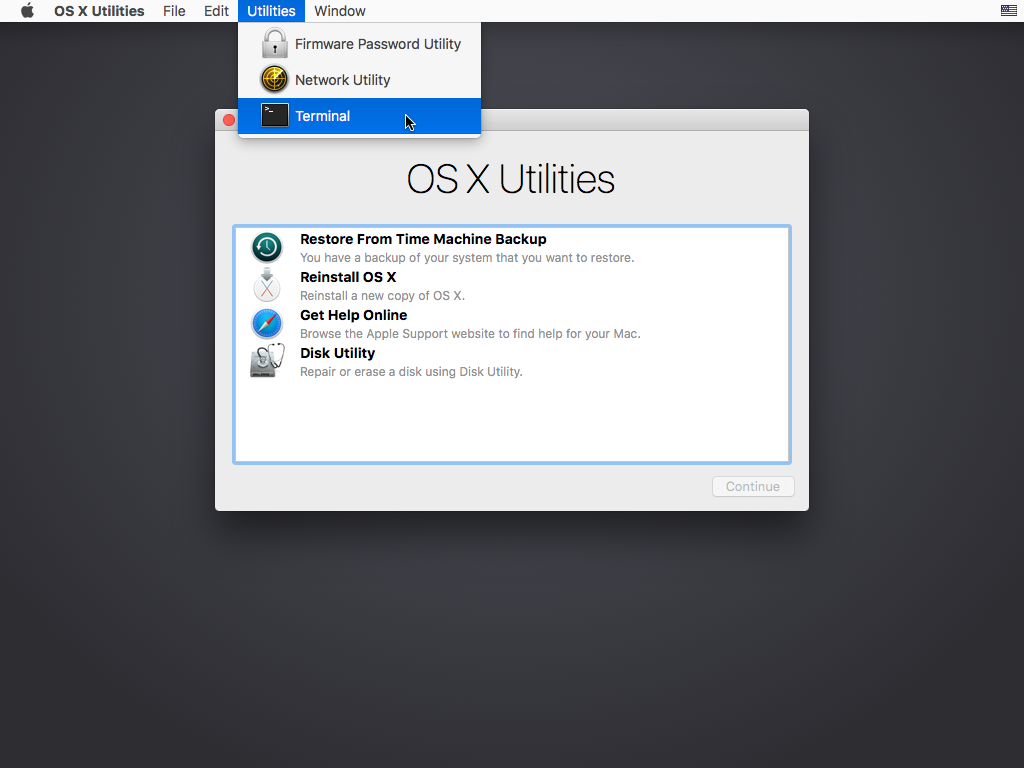
Then select Terminal from the Utilities menu.

It looks like this:
In the window that opens, type :

csrutil enable --without debug 

and press return.
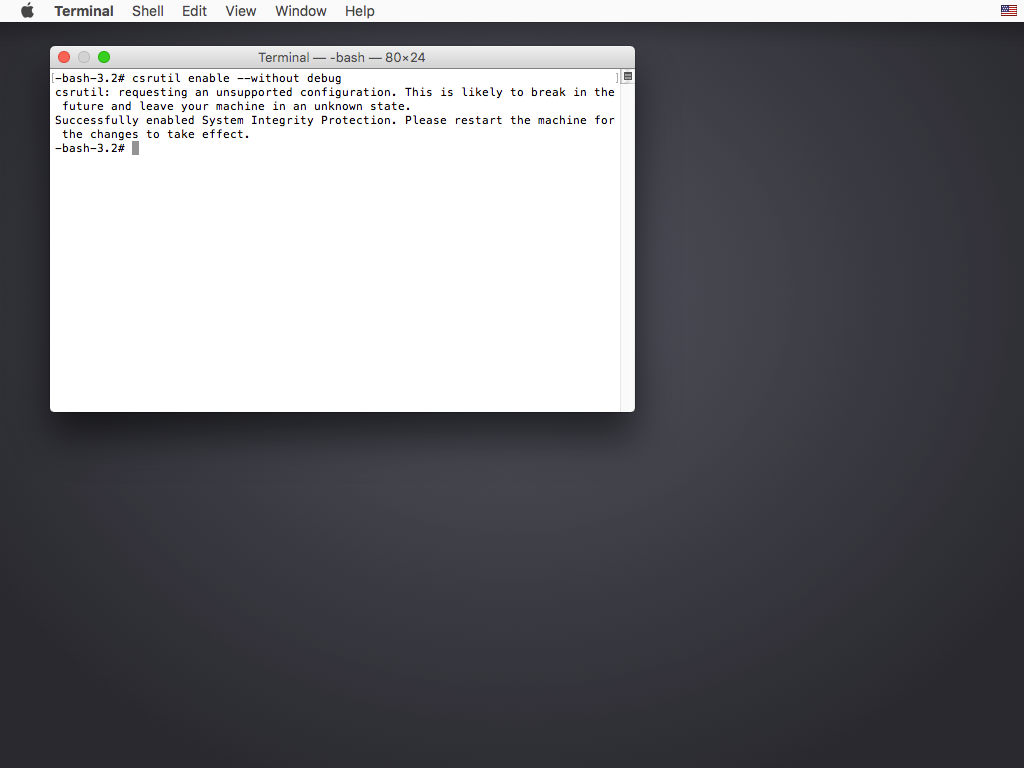
This turns off the part of SIP that TotalTerminal needs to run, 
then MacOS will stop with that complains some why it is an unsupported configuration blah.. blah.. blah.. 
Fucking Shit for convince some random nerdy noobs than, 
security by obscurity on close sources Apple MacOS, commonly use to restrict, 
and reduce effective life time of that expensive hardware you have buy on he s whensoever
innovation, and ecologically better when you drop-it to trash to purchase an another new one !
Marketing, Advertising, blah.. blah.. ...
Now type reboot and press return to restart your machine. 
After restart you may install the latest version of TotalTerminal.


You can find some further information in our blog.